New Bing Photo Editor
Professional Photo Editor
Transform your photos with our powerful AI technology. Upload your photos, provide prompts, and let our AI create stunning results.
No watermarks, free creation, and high resolution.
We have no association, endorsement, or connection with Microsoft or Bing.

Edit Your Photos with Our Photo Editor
Upload your photos and provide detailed prompts for our AI to create your desired result
Photo Editing Examples
See what our AI can create. Click on any example to use its description as a starting point.
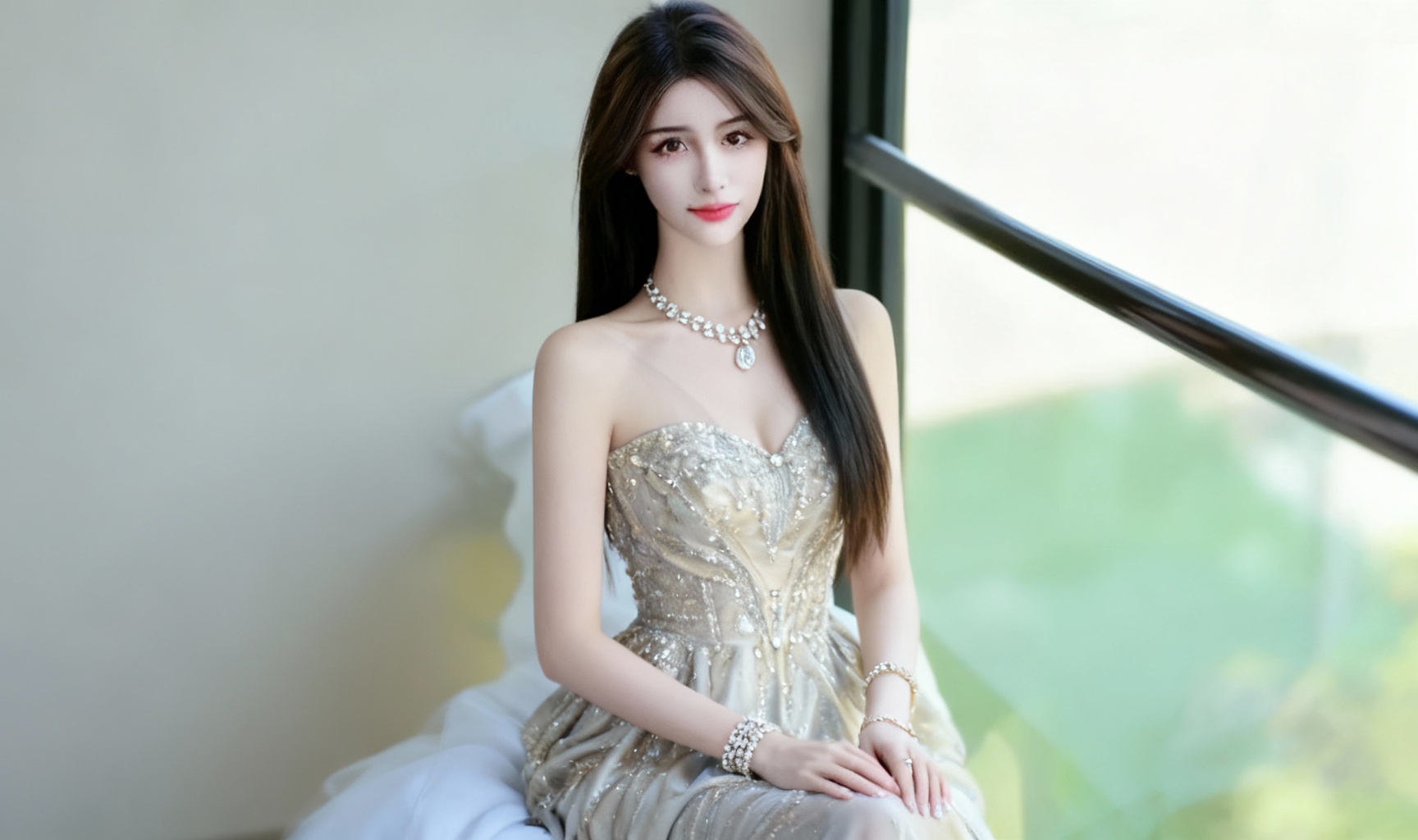
Fashion Transformation
Transform the outfit of the person in the main photo to a stylish evening dress with elegant accessories and subtle background enhancement.
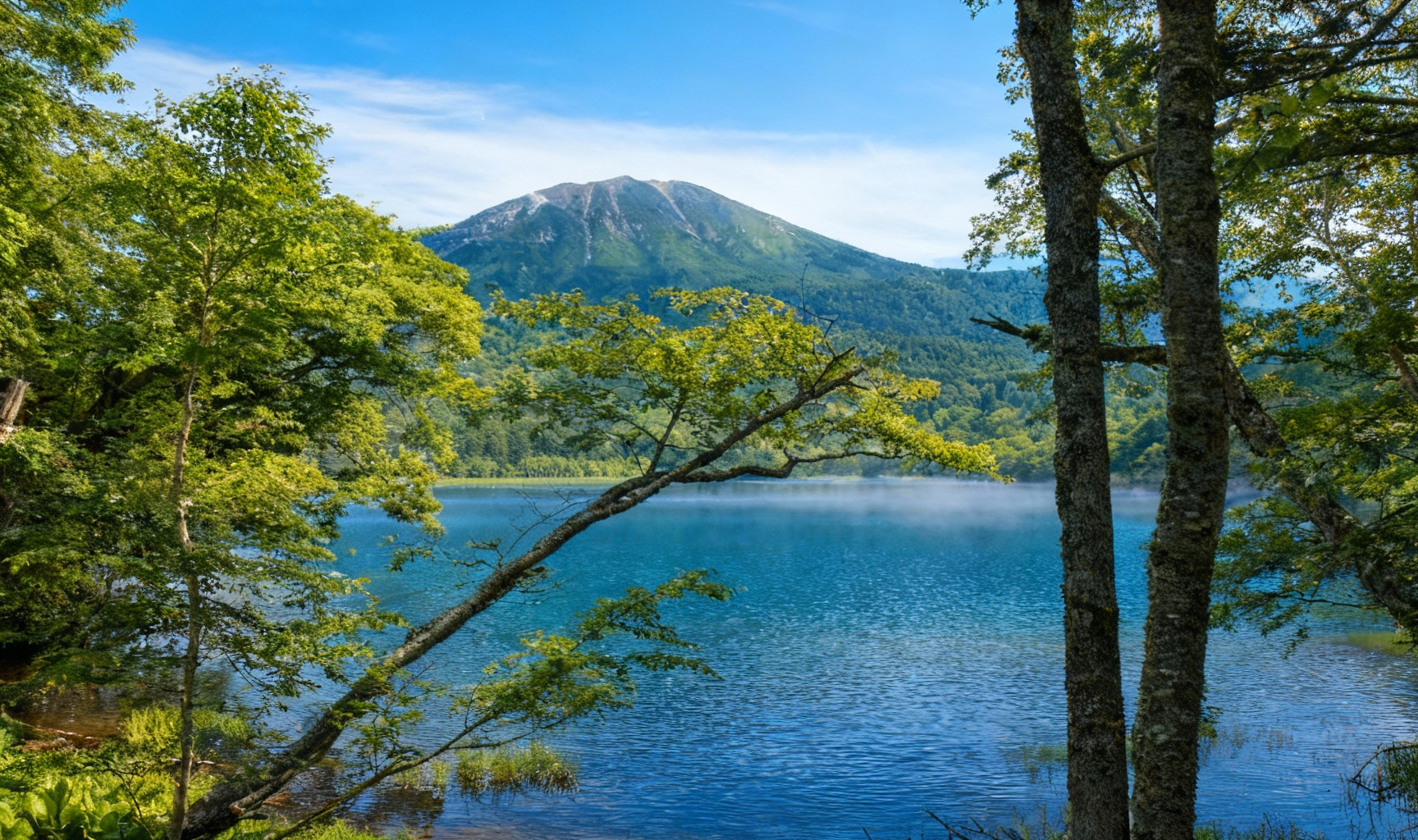
Nature Enhancement
Enhance the colors and lighting of the landscape photo, add subtle cloud and mist effects, and improve overall photo sharpness while maintaining natural appearance.
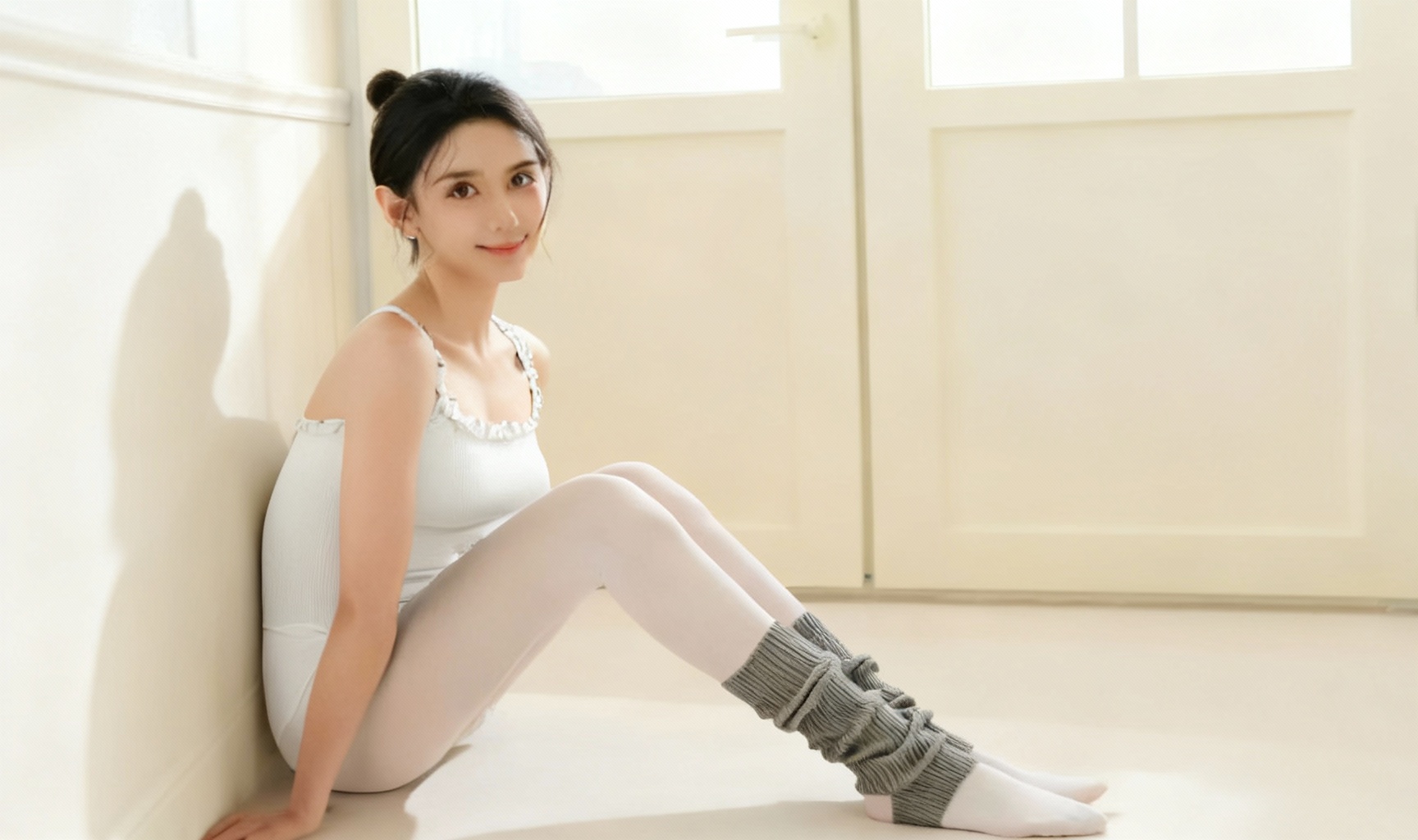
Portrait Retouching
Gently retouch the portrait photo, improve skin tone and texture, enhance facial features while maintaining natural look, and adjust lighting for professional appearance.
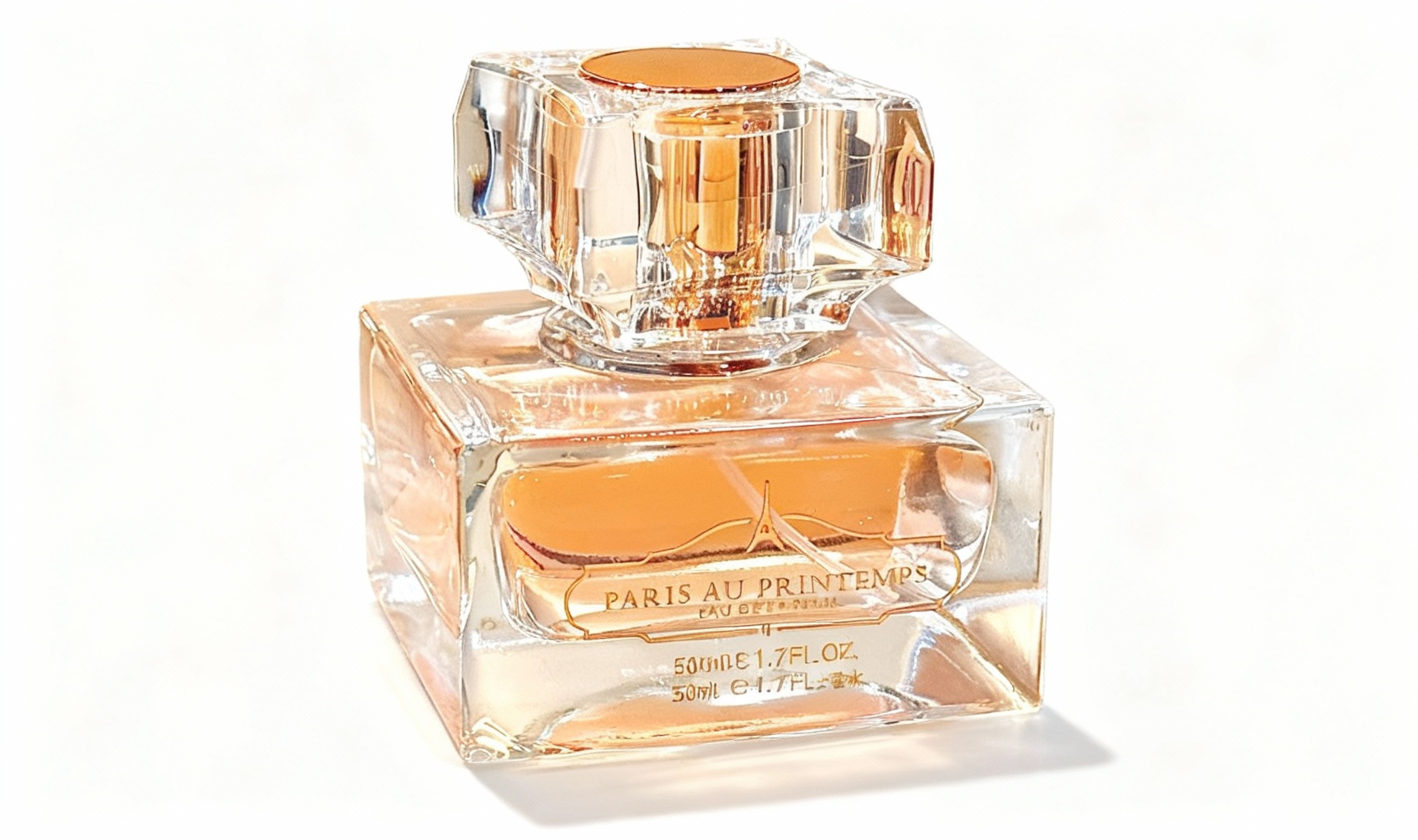
Product Enhancement
Remove background from the product photo, enhance colors and details, add subtle shadows for depth, and prepare for e-commerce use.
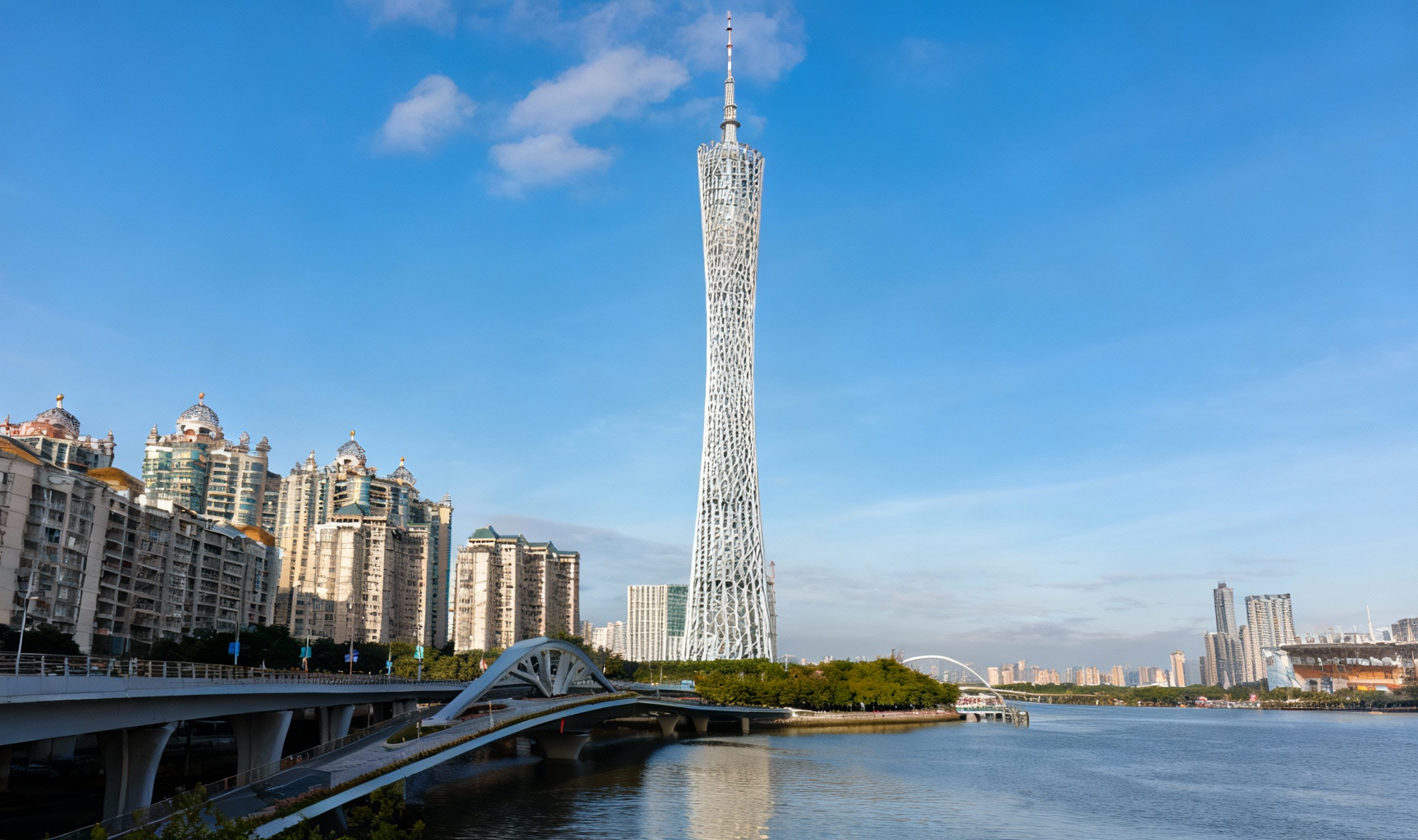
Architecture Edit
Straighten architectural lines, adjust perspective, enhance building details, and balance the sky exposure in this urban photography.
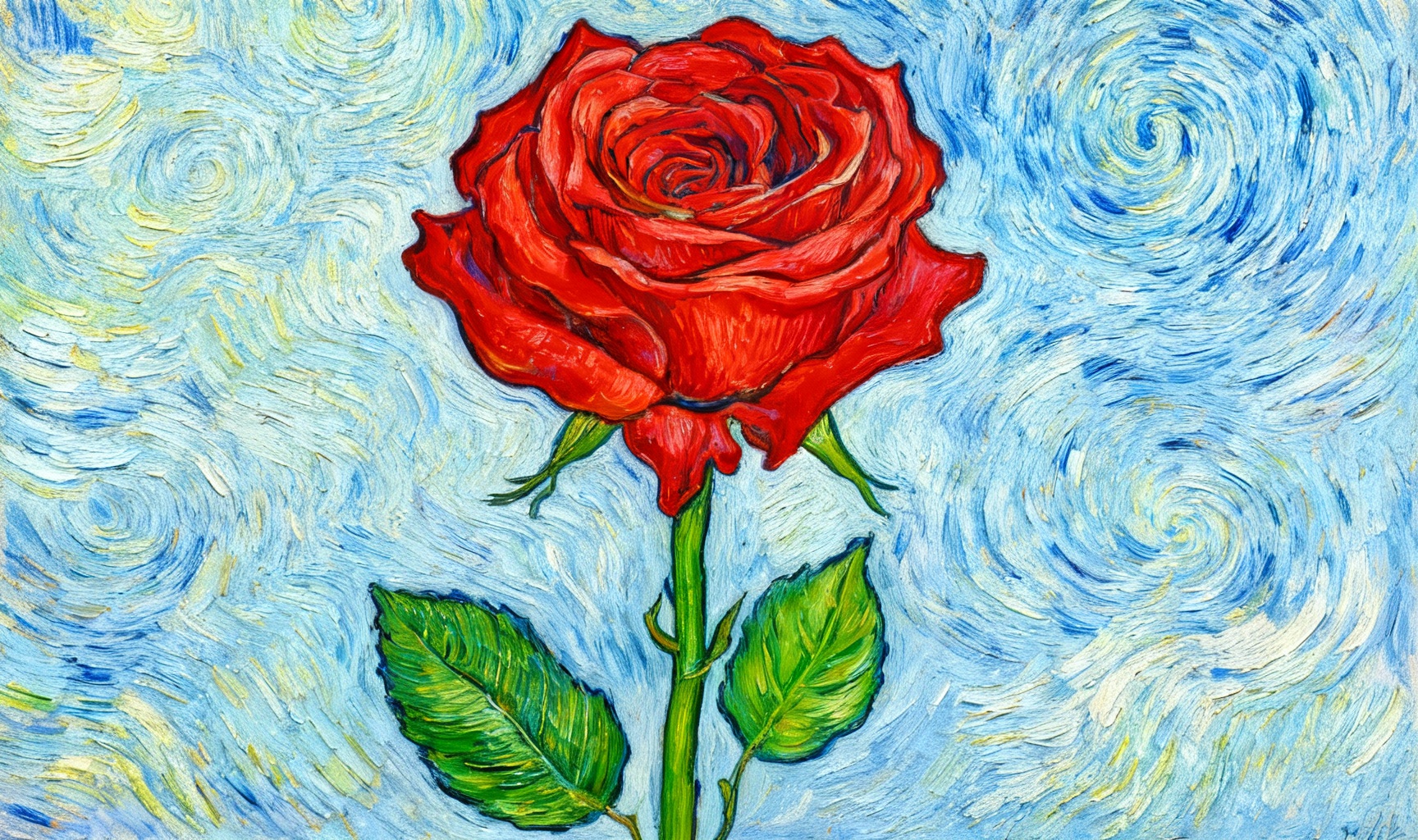
Artistic Style Transfer
Apply a Van Gogh style artistic filter to the photo while preserving the original composition and important details.
Powerful Photo Editing Features
Our AI-powered photo editor offers a wide range of capabilities to transform your photos with professional quality.
AI-Powered Editing
Advanced artificial intelligence analyzes your photos and instructions to create professional-quality results.
Multi-Photo Support
Upload up to 4 photos to combine elements and create complex compositions with seamless integration.
Style Transfer
Apply artistic styles, filters, and visual effects to transform your photos into stunning works of art.
Fast Processing
Get your edited photos quickly with our optimized processing pipeline, typically within 60 seconds.
Precise Control
Provide detailed instructions to guide the AI and achieve exactly the result you envision.
Secure Processing
Your photos are processed securely and deleted after editing to protect your privacy.
Simple Photo Editing Process
Transform your photos in just 3 easy steps
Upload Your Photos
Select and upload up to 4 photos you want to edit or combine.
Provide Instructions
Describe in detail what changes you want to make to your photos.
Get Your Results
Our AI processes your request and delivers the edited photos quickly.
User Stories
See how people use Bing Photo Editor in their daily lives
Frequently Asked Questions
All information about our AI photo editor, online photo editing and photo processing tools
What can Bing Photo Editor do?
+Our AI-powered online Photo Editor offers professional-grade photo editing capabilities comparable to desktop software, making it an excellent online Photoshop alternative for users who need powerful photo processing without installing heavy software. You can perform advanced photo editing tasks such as background removal, object deletion, photo retouching, color correction, and photo enhancement, including:
- Photo content editing: Modify photo content based on text prompts
- Background processing: Remove or replace photo backgrounds
- Element addition: Add various elements to photos
- Style transfer: Convert photos to different artistic styles
- Color adjustment: Optimize photo color, brightness, contrast, etc.
- Text addition: Add text to photos
- Special effects application: Apply various effects to photos
Unlike traditional Photoshop, this tool doesn't require complex operation skills. Anyone can easily achieve professional-level editing results through text prompts.
Is Bing Photo Editor free to use?
+Our online Photo Editor uses a points system (1 point per edit) and does not offer completely free unlimited usage, but it has the following features:
- Basic functions: Provides services with basic photo editing capabilities
- Points acquisition: New users usually receive initial points after registration, and can earn more points by participating in platform activities or purchasing directly
- Watermark-free output: Edited photos have no watermarks
- Professional effects: Generate high-quality editing results
How does Bing Photo Editor compare to Photoshop?
+Our AI-enhanced photo editor combines the powerful features of traditional photo editing tools with artificial intelligence to simplify complex tasks. While offering many features similar to desktop Photoshop alternatives, our online editor excels at AI-driven tasks such as automatic background removal, intelligent object detection, style transfer, and one-click photo enhancement. This makes professional photo editing easier for users of all skill levels, without requiring extensive photo editing knowledge.
How to retouch photos like a professional?
+To achieve professional photo retouching results, start with high-quality source photos, use our AI photo editor for precise adjustments, and focus on maintaining a natural appearance. Our tools offer advanced photo editing features such as skin smoothing, blemish removal, teeth whitening, and portrait enhancement. Remember, moderate adjustments usually produce the most professional results in photo processing.
How to batch edit photos?
+Currently, this AI photo editor does not support batch processing functionality. Since each photo has different content and editing needs, AI needs to analyze and process each photo individually to achieve the best results. You need to upload photos one by one for editing.
We plan to add batch processing functionality in future versions, which will allow you to apply consistent edits to multiple photos simultaneously, including batch resizing, format conversion, watermark addition, color correction, and photo enhancement tasks. This will be particularly useful for photographers, marketers, and businesses that need to process large numbers of photos.
What file formats does Bing Photo Editor support?
+Our photo editor supports all major photo formats, including JPG, PNG, WEBP, TIFF, and GIF. You can upload photos in these formats and export edited photos with various quality settings. For professional photo editing needs, we also support high-resolution export and preserve transparency when processing PNG files.
How does AI photo enhancement improve my photos?
+Our AI photo enhancement technology automatically analyzes your photos and applies intelligent corrections to improve brightness, contrast, color balance, sharpness, and overall photo quality. Unlike manual photo editing, our AI can identify the best adjustments for each specific photo, saving you time while achieving professional results. This makes our tool particularly effective for quick photo enhancement needs.
Is your online Photoshop alternative suitable for beginners?
+Absolutely! Our online photo editor is designed to be beginner-friendly while still offering advanced features for experienced users. The intuitive interface and AI-driven tools make photo editing accessible to everyone, regardless of their technical skill level. Beginners can start with simple photo editing tasks and gradually explore more advanced features as they become more familiar with photo processing concepts.
What photo editing scenarios is this Photo Editor best suited for?
+Our online Photo Editor excels in various photo editing scenarios, including portrait retouching, product photography enhancement, social media content creation, travel photo editing, event photography post-processing, and business presentation graphics. Whether you need to edit travel photos, create marketing materials, or enhance e-commerce product photos, our tool provides the necessary photo editing features for all these scenarios.
How to enhance specific types of photos, such as portraits or landscapes?
+Our AI-powered online photo editor includes professional tools for different types of photos. For portrait photography, you can use skin smoothing, facial enhancement, and background blur effects. For landscape photos, our sky replacement, color correction, and horizon alignment tools will help you achieve amazing results. Each photo editing scenario has specialized features to meet specific needs.
Can I create social media images with this Photo Editor?
+Yes! This online photo editing tool is perfect for creating social media visuals, providing predefined sizes for all major platforms like Instagram, Facebook, Twitter, and LinkedIn. You can use text overlays, filters, and graphic elements to create engaging social media content that maintains a consistent visual identity.
How to do it:
- Upload the photo you want to edit
- Describe the social media platform requirements and the effects you want in the editing prompt, such as: "Create a square photo for Instagram, add the text 'Happy Weekend' with related emojis, using a bright color style" or "Create a vertical photo for WeChat Moments, intelligently combine multiple travel photos, add text descriptions and filter effects"
- The system will generate beautiful images that meet platform requirements based on your needs
AI will automatically adjust image sizes, add text and effects to make your social media content more attractive.
What is this Photo Editor?
+It is a software tool used to modify, enhance, or create photos. The AI version adopts advanced artificial intelligence technology and supports intelligent photo editing through text prompts.
Whether you want to adjust photo colors, replace backgrounds, add elements, or make creative modifications, just describe your needs in natural language, and AI can understand and generate professional-level editing results.
Allows you to easily create and modify photos without professional design skills.
What is an online Photo Editor?
+It is a photo editing tool that can be used directly through a web browser without downloading and installing. This plugin provides powerful online AI photo editing services, you only need to:
- Log in to your account
- Upload the photo you want to edit
- Describe the editing effect you want in detail with text
- The system will automatically process and generate editing results
The entire process is completed in the cloud, so you don't have to worry about computer performance limitations, allowing you to perform high-quality photo editing anytime, anywhere.
What are the limitations of this Photo Editor?
+This Photo Editor has the following main limitations:
- Usage restrictions: Requires user login and consumes points (1 point per edit)
- Points acquisition: New users usually receive initial points after registration, and can earn more points by participating in platform activities or purchasing directly
- Format support: Mainly supports JPEG format photos
- Size limit: Single photo size is recommended to be no more than 10MB for best processing results
- Function limitations: Mainly provides intelligent content editing functions based on text prompts. For some traditional editing functions (such as precise cropping, rotation, etc.), it is recommended to use other tools before uploading
What functions does this Photo Editing Tool have?
+Based on advanced AI technology, this tool provides rich intelligent editing functions, including but not limited to:
- Intelligent photo content modification: Adjust photo content according to text prompts
- Style transfer: Convert photos to different artistic styles (such as watercolor, oil painting, cartoon style, etc.)
- Background processing: Intelligently remove or replace photo backgrounds
- Element addition: Add new elements to photos according to descriptions
- Photo enhancement: Automatically optimize photo brightness, contrast, color, etc.
- Multi-photo synthesis: Upload up to 4 photos and intelligently fuse them to generate new photos
You just need to clearly describe your needs in text, and the system can achieve various complex editing effects for you.
How to edit photos?
+Using this AI photo editor is very simple, just a few steps to complete professional-level editing:
- Log in to your account: Ensure you are logged in and have enough points
- Upload photos: Click the upload button and select the photos you want to edit (up to 4 photos can be uploaded)
- Enter editing prompts: Use detailed text to describe the editing effect you want in the prompt box (the more detailed, the better the effect)
- Confirm generation: Click the generate button, the system will deduct 1 point and start processing
- View results: After a few seconds, you can preview the editing results, and download and save them if you are satisfied
How to crop photos?
+Currently, this AI photo editor mainly focuses on intelligent content editing functions. If you need to precisely crop photos, we recommend that you: 1) Use the system's built-in photo viewer or other simple tools to perform initial cropping before uploading photos 2) Then upload the cropped photos to the editor 3) Then use text prompts for AI-driven content modification and enhancement. This can achieve better editing results. The team is also continuously optimizing the product and considering adding more complete traditional editing functions in future versions.
How to resize photos?
+This AI photo editor will intelligently adjust the output photo size according to the original photo size and your editing needs. If you need photos of specific sizes, you can: 1) Clearly state your size requirements in the editing prompt (for example: "Resize the photo to 1920x1080 pixels" or "Create a 1:1 square photo suitable for Instagram") 2) AI will generate photos of corresponding sizes according to your requirements. If you need very precise size control, you can use a specialized photo resizing tool for final adjustment after editing is complete.
How to rotate photos?
+Currently, this AI photo editor mainly provides intelligent content editing functions based on text prompts. For photo rotation needs, you can: 1) Use the system's built-in photo viewer or other simple tools to rotate photos before uploading 2) Or clearly state the rotation angle you want in the editing prompt (for example: "Rotate the photo 90 degrees clockwise"). The system will process the photo according to your requirements. The team will continue to optimize product functions to meet more user needs.
How to add text to photos?
+You can easily add text to photos by clearly specifying in the editing prompt: - The text content you want to add - The position of the text (for example: "Add text in the top left corner of the photo") - The style of the text (for example: "Red bold text, font size 24px") - The effect of the text (for example: "Add white stroke to improve readability"). For example: "Add red bold text 'Happy New Year' in the top left corner of the photo, font size 36px, add white stroke". AI will accurately add the text to the photo according to your description.
What effects do photo filters have?
+This AI photo editor supports applying various style filters and effects through text prompts, including but not limited to:
- Artistic styles: Watercolor, oil painting, sketch, cartoon, comic style, etc.
- Color styles: Retro style, black and white, nostalgic tone, cyberpunk style, etc.
- Lighting effects: High contrast, soft light, dramatic lighting, cinematic effects, etc.
You just need to describe the filter style you want in the editing prompt (for example: "Convert the photo to Van Gogh oil painting style" or "Add vintage film filter effect"), and AI will intelligently apply this style to your photo, creating unique visual effects.
What types of photo special effects are available?
+This AI photo editor can achieve various special effects through text prompts, including but not limited to:
- Style transfer: Convert photos to different artistic styles
- Scene replacement: Intelligently replace background scenes in photos
- Object addition/removal: Add new objects or remove unwanted elements from photos
- Lighting effect adjustment: Enhance or change the lighting effects of photos
- Texture addition: Add various texture effects to photos
- Color transformation: Adjust the overall color atmosphere of photos
You can get the special effects you want through detailed text descriptions, and AI will generate corresponding effects according to your needs.
How to beautify photos?
+It's very simple to beautify photos using this AI photo editor. You can describe the beautification effects you want in the editing prompt, for example:
- Portrait beautification: "Make the person's skin smoother, eyes brighter, and adjust facial lighting"
- Landscape beautification: "Enhance the blue of the sky, make leaves greener, and increase overall color saturation"
- Product beautification: "Adjust the lighting of product photos, highlight product details, and improve color reproduction"
AI will intelligently analyze photo content and make precise beautification adjustments according to your description, making your photos more outstanding.
What is a photo retouching tool?
+A photo retouching tool is software used to repair, adjust, and enhance photos. This AI retouching tool is based on advanced deep learning technology, which can intelligently identify photo content and make precise modifications according to your text prompts. Whether it's repairing flaws in old photos, adjusting facial features in portraits, optimizing the display effect of product photos, or making creative photo modifications, it can provide you with professional-level retouching effects, making retouching simpler and more efficient.
What is photo editing software?
+Photo editing software is a tool used to modify and edit photos, usually for beautifying photos, creating creative photos, etc. This AI photo editing software adopts advanced artificial intelligence technology and can achieve complex photo editing effects through simple text prompts. Compared with traditional photo editing software, this tool is easier to operate, does not require professional design skills, and anyone can easily get started. You just need to describe the effect you want, and AI will achieve it for you, making photo editing more intelligent and efficient.
How to remove photo backgrounds?
+Removing photo backgrounds using this AI photo editor is very simple, you just need to:
- Upload the photo you want to process
- Clearly state requirements such as "remove background" or "extract subject" in the editing prompt
- The system will automatically process and generate a photo with a transparent background
AI can intelligently identify the subject in the photo (such as people, products, etc.) and accurately remove the background while keeping the edges of the subject clear and natural, allowing you to easily obtain professional-level cutout effects.
How to change photo backgrounds?
+Changing photo backgrounds is one of the strong features of this AI editor, you just need to:
- Upload the photo you want to process
- Describe the new background you want in the editing prompt (for example: "Change the background to a beach scene, blue sky and white clouds, waves gently lapping the shore" or "Change to a modern office environment, bright and tidy meeting room")
- The system will intelligently replace the background of the original photo with the scene you described, and ensure that the subject naturally blends with the new background
AI will automatically adjust lighting, shadows, and colors to make the composite effect look real and natural, just like it was taken originally.
How to create photo composites?
+This AI photo editor supports multi-photo composite functionality, you can:
- Upload up to 4 photos
- Describe the composite effect you want in detail in the editing prompt (for example: "Composite the person in the first photo with the beach background in the second photo, with the person standing on the beach facing the sea" or "Add the flowers in the third photo to the vase in the first photo, making it look like they were originally there")
- The system will intelligently fuse the elements of multiple photos together to create a natural and harmonious composite photo
AI will automatically handle details such as photo proportions, lighting, and shadows to ensure the composite effect is realistic and credible.
How to stitch photos together?
+Currently, this AI photo editor mainly focuses on intelligent content editing functions. For photo stitching needs, we recommend that you: 1) First use a specialized photo stitching tool (such as the system's built-in photo viewer or online stitching tool) to stitch the photos together 2) Then upload the stitched photo to this AI editor 3) Then use text prompts for further intelligent content editing and enhancement. This can achieve better processing results. The team will continue to optimize product functions and consider adding more complete photo stitching functions in future versions.
How to compress photos?
+Currently, this AI photo editor mainly provides intelligent content editing functions. Edited photos are automatically saved in JPEG format, and the file size is usually optimized according to the photo content and quality. If you need to further compress photos to meet specific needs (such as website upload, email sending, etc.), we recommend that you: 1) First use this AI editor to complete content editing 2) Then use a specialized photo compression tool (such as an online compression tool or photo editing software) for compression.
How to convert photo formats?
+This AI photo editor currently mainly supports JPEG format for input and output. If you need to convert photos to other formats (such as PNG, WEBP, etc.), we recommend that you: 1) First use this AI editor to complete content editing 2) Download the edited JPEG photo 3) Use a specialized photo format conversion tool (such as an online conversion tool or photo editing software) to convert it to the format you need. The team will continue to optimize product functions and consider adding direct format conversion functions in future versions.
How to make ID photos?
+You can easily make various ID photos using this AI photo editor, you just need to:
- Upload a clear front-facing photo (it is recommended to use a photo with a white background or light background)
- Describe the ID photo requirements in detail in the editing prompt, for example: "Make a one-inch blue background ID photo, size 2.5cm×3.5cm, resolution 300dpi, meeting the requirements for ID card photos" or "Make a passport photo, white background, person centered, ears and eyebrows visible"
- The system will automatically process according to your requirements and generate ID photos that meet the standards
AI will automatically adjust the photo size, background, lighting, and person position to ensure that the generated ID photos meet the requirements you specified.
How to edit avatar photos?
+Editing avatar photos is one of the common functions of this AI editor, you can:
- Upload the avatar photo you want to edit
- Describe the effect you want in the editing prompt, for example: "Change the avatar background to a gradient blue background, add a slight blur effect" or "Add a cartoon style filter to the avatar while keeping the person's features unchanged" or "Adjust the lighting of the avatar to make the face brighter and improve overall clarity"
- The system will intelligently edit the avatar photo according to your description
Whether it's changing the background, adjusting the style, or optimizing details, AI can create a satisfactory avatar effect for you.
How to edit social media photos?
+This AI photo editor is very suitable for editing social media photos, you can:
- Upload the photo you want to edit
- Describe the social media platform requirements and the effects you want in the editing prompt, for example: "Create a square photo suitable for Instagram, add the text 'Happy Weekend' and related emojis, using a bright color style" or "Create a vertical photo for WeChat Moments, intelligently stitch multiple travel photos, add text descriptions and filter effects"
- The system will generate beautiful photos that meet platform requirements based on your needs
AI will automatically adjust photo sizes, add text and effects to make your social media content more attractive.
How to design posters?
+Designing posters using this AI photo editor is very simple, you can:
- Upload a base photo (if you have one)
- Describe the poster's theme, layout, text content, color style, and other requirements in detail in the editing prompt, for example: "Design a product promotion poster with the theme of summer clothing sale, main colors blue and white, place product photo in the center, add title 'Cool Summer Sale' at the top, add promotion information '50% off storewide' and event time at the bottom"
- The system will intelligently generate a poster design based on your description
You can also upload up to 4 reference photos to help AI better understand your design needs and generate poster effects that better meet your expectations.
How to add watermarks to photos?
+Adding watermarks to photos can protect your copyright, and using this AI editor to add watermarks is very simple:
- Upload the photo you want to add a watermark to
- Clearly state the watermark content (text or pattern), position, and style requirements you want to add in the editing prompt, for example: "Add text watermark 'My Work' in the bottom right corner of the photo, using white semi-transparent effect, font size 20px" or "Add company logo watermark in the center of the photo, using 50% transparency"
- The system will intelligently add the watermark to your photo
AI will intelligently adjust the position and transparency of the watermark based on the photo content, ensuring that the watermark is clearly visible without affecting the main content of the photo.
How to remove watermarks from photos?
+Removing watermarks from photos is a practical feature of this AI editor, you just need to:
- Upload the photo with a watermark
- Clearly indicate the position and content of the watermark that needs to be removed in the editing prompt, for example: "Remove the text watermark 'Sample Image' in the top left corner of the photo" or "Remove the website logo watermark at the bottom of the photo"
- The system will intelligently identify the watermark and remove it, while repairing the photo content under the watermark
AI will perform intelligent repair based on the photo content around the watermark, ensuring that the photo after watermark removal looks natural and complete without obvious repair traces.
How to perform batch photo processing?
+Currently, this AI photo editor does not temporarily support batch processing functionality. Since each photo has different content and editing needs, AI needs to analyze and process each photo individually to achieve the best results. You need to upload photos one by one for editing. The team will continue to optimize the product and consider adding batch processing functionality in future versions to meet more user needs.
What is an AI photo editor?
+An AI photo editor is a tool that uses artificial intelligence technology to achieve intelligent photo editing. Our AI Photo Editor adopts advanced deep learning algorithms and can understand natural language descriptions and intelligently modify photo content. Compared with traditional photo editors, it has the following advantages:
- Simpler operation: Just describe needs in text, no complex operations required
- More intelligent effects: AI can understand context and generate effects that better meet needs
- Richter creativity: Can achieve creative effects that are difficult for traditional editors to complete
- Higher efficiency: Quickly generate editing results, saving time
Allow you to easily achieve complex photo editing needs without professional skills.
What is AI Intelligent Photo Retouching?
+Intelligent photo retouching is a way to automatically identify photo content and perform intelligent adjustments using AI technology. This intelligent retouching tool has the following features:
- Intelligent recognition: Automatically identify subjects, backgrounds, lighting and other elements in photos
- Precise adjustment: Perform precise retouching operations according to your text prompts
- Automatic optimization: Can automatically adjust photo parameters such as color, contrast, sharpness, etc.
- Defect repair: Intelligently identify and repair defects in photos, such as noise, scratches, etc.
Whether it's portrait retouching, product retouching, or landscape retouching, this tool can provide you with professional-level retouching effects, making retouching more efficient and intelligent.
What features does this Online Photo Editor have?
+Our AI Photo Editor provides some features similar to traditional Photoshop, but with simpler and more intelligent operation, mainly including:
- Image content editing: Modify image content according to text prompts
- Background processing: Remove or replace image backgrounds
- Element addition: Add various elements to images
- Style transfer: Convert images to different artistic styles
- Color adjustment: Optimize image color, brightness, contrast, etc.
- Text addition: Add text to images
- Special effects application: Apply various effects to images
Unlike traditional Photoshop, this tool doesn't require complex operation skills. Anyone can easily achieve professional-level editing results through text prompts.
Is this Photo Editor a good Photoshop alternative? What are its advantages?
+Our AI Photo Editor is an excellent Photoshop alternative, especially suitable for users without professional design experience. Compared with traditional Photoshop, it has the following significant advantages:
- Intelligent editing: Based on AI technology, complex editing can be achieved through text prompts
- Simple operation: No professional skills required, anyone can easily get started
- Cloud processing: No need to install heavy software, use anytime, anywhere
- High efficiency: AI automatically processes and quickly generates editing results
- Practical functions: Provides commonly used intelligent editing functions to meet most needs
- Controllable cost: Adopts a points system (1 point per time), no subscription pressure
Although it requires consuming points, this tool has a low learning cost, is flexible to use, and can quickly complete various photo editing tasks. It is one of the ideal choices for free Photoshop alternative tools.
How to choose the right photo editor for me? Who is this AI Photo Editor suitable for?
+Choosing the right photo editor depends on your specific needs and usage scenarios. If you need a tool that:
- Is simple to operate, no professional skills required
- Can quickly achieve creative editing effects
- Has intelligent editing functions based on text prompts
- Uses cloud processing, available anytime, anywhere
Then our AI Photo Editor will be a good choice. Based on advanced AI technology, it supports various intelligent editing effects through text prompts, allowing you to easily create and modify images without professional design skills.
Is this AI Photo Editor easy to use? What are its features?
+Yes, our AI Photo Editor is a very easy-to-use tool with the following features:
- Intuitive user interface: Clear operation process, easy to get started
- Text-driven editing: Just describe needs in text, no complex operations required
- Intelligent effect generation: AI automatically processes and quickly generates editing results
- Detailed user guide: Provides clear usage instructions and examples
Whether you are a beginner in photo editing or have some experience, you can easily use this tool for high-quality photo editing.
What is a professional photo editing tool based on AI?
+Professional photo editing tools usually provide rich editing functions and high-quality effects, suitable for professional designers and photographers. Our AI-based photo editor combines professional-level AI editing capabilities with simple operation methods, with the following features:
- Professional-level effects: Generated editing results reach professional standards
- Intelligent operation: Complex editing can be achieved through text prompts
- Efficient processing: Quickly generate editing results, saving time
- Easy to use: No professional skills required, anyone can get started
It allows ordinary users to also obtain professional-level editing effects, making it a professional-level photo editing tool for the general public.
What are the advantages of web-based photo editor?
+Web-based photo editors have the following advantages over traditional desktop software:
- No download or installation required: Use directly through the browser, saving computer space
- Cross-platform compatibility: Supports Windows, Mac, Linux, and other operating systems
- Cloud processing: No need to worry about computer performance limitations, complex processing is completed in the cloud
- Available anytime, anywhere: As long as there is a network connection, you can use it on any device
- Automatic updates: The system updates automatically, no manual upgrading required
Our web-based AI photo editor can be easily integrated into your website, allowing your users to directly use powerful AI photo editing functions on your website.
What are the features of mobile photo editor?
+Mobile photo editors usually focus on simple operation and editing functions for specific scenarios. Our AI Photo Editor fully supports use on mobile devices. You can access our website through mobile browsers and enjoy the following features:
- Responsive design: Interface automatically adapts to mobile device screens
- Touch-friendly: Supports touch operations, easy to use
- Cloud synchronization: Editing results are automatically saved and synchronized across multiple devices
- Available anytime, anywhere: Can perform photo editing on mobile phones or tablets at any time
Allows you to easily perform high-quality AI photo editing on mobile devices.
What are the differences between desktop photo editing software and online editor?
+Desktop photo editing software and online editors each have their advantages and disadvantages:
Desktop software advantages:
- More comprehensive features: Usually provide richer editing tools
- Offline use: No network connection required
- Faster processing speed: Processed directly locally, speed not affected by network
Online editor advantages:
- No installation required: Use directly through the browser
- Cross-platform: Supports various operating systems
- Cloud storage: Editing results automatically saved to the cloud
- Intelligent functions: Easier to integrate advanced technologies like AI
Our AI Photo Editor combines the convenience of online tools with the powerful functions of AI technology, allowing you to obtain excellent editing results without installing software, while enjoying the intelligent editing experience brought by AI.
Can this AI Photo Editor be integrated into websites? What are the benefits for website administrators?
+Yes, our AI Photo Editor can be integrated into any website, providing powerful AI photo editing functions for your website. If you are a website administrator, you can provide the following services for your users through simple installation:
- High-quality AI photo editing functions
- Personalized user experience
- Flexible points management system
- Complete editing history records
This will make your website a feature-rich photo editing platform, attracting more users to visit and use.
How to use this Photo Editor for quick photo editing?
+You can achieve fast and efficient photo editing using our AI Photo Editor, with the following specific steps:
- Log in to your account (ensure you have enough points)
- Click the upload button and select the photo you want to edit
- Enter simple and clear editing requirements in the prompt box (for example: "Change the background to red" or "Add text 'Happy Birthday'")
- Click the generate button, and the system will start processing immediately
- After a few seconds, you can preview and download the edited photo
The entire process takes only a few minutes or even less time, allowing you to quickly complete photo processing tasks.
What advantages does this Photo Editor have compared to other free online photo editors?
+There are many free online photo editors on the market, but they usually have feature limitations or watermarks. Although our AI Photo Editor uses a points system (1 point per edit), it provides more powerful AI editing functions compared to other free tools:
- Intelligent content editing: Modify photo content based on text prompts
- Professional-level effects: Generate high-quality editing results
- Watermark-free output: Edited photos have no watermarks
- Flexible points acquisition methods: Earn points through activities or purchases
If you need high-quality AI photo editing services, our Photo Editor is a good choice that can provide you with professional-level editing results.
Does this Photo Editor have a mobile app? How to use it on mobile phones?
+Our Photo Editor mainly provides web-based services and does not have an independent mobile app yet. You can use it on mobile phones through the following methods:
- Use a mobile browser to directly access our website
- Enjoy the same AI image editing functions as the desktop version
- Cloud processing, not limited by device performance
- Use intelligent image editing functions anytime, anywhere
What photo editing tutorials are available?
+Using our AI Photo Editor is very simple and doesn't require complex tutorials. You can quickly get started through the following methods: 1) Check the usage guides and examples provided on our website 2) Try simple editing tasks, such as changing backgrounds, adding text, etc. 3) Refer to the frequently asked questions to understand how to use various functions 4) Contact customer service for help and support. If you need more detailed guidance, our website also provides detailed usage tutorials and video demonstrations to help you better use our AI photo editing functions.
What are the detailed steps for photo editing?
+The detailed steps for photo editing using our AI Photo Editor are as follows:
- Log in to your account: Access our website and log in to your user account
- Prepare points: Ensure you have enough points in your account (1 point per edit)
- Upload photos: Click the upload button and select the photos you want to edit (up to 4 photos can be uploaded)
- Enter prompts: Use detailed text to describe the editing effect you want in the prompt box (the more detailed the description, the better the effect)
- Confirm generation: Check your editing requirements and click the "Generate" button
- Wait for processing: The system will deduct 1 point and start processing your request
- Preview results: After processing is complete, you can preview the editing results on the page
- Download and use: If you are satisfied with the results, you can download the edited photos or use them directly
- View history: All your editing records will be saved in the system, and you can view and manage them at any time
Through the above simple steps, you can easily complete high-quality AI photo editing tasks and enjoy the convenience and fun brought by intelligent editing.
How to achieve professional landscape photography effects?
+Our AI Photo Editor can transform ordinary landscape photos into professional-grade imagery. Describe your desired effect, such as "Enhance dramatic sky with vibrant sunset colors" or "Create moody atmospheric forest scene with mist effects." The AI understands landscape photography composition principles and will optimize lighting, contrast, and color grading to deliver stunning natural scenery.
Can I create studio-quality product photography?
+Absolutely! Our AI Photo Editor excels at creating professional product photography. Upload your product image and describe your vision, such as "Place this watch on luxury marble surface with dramatic lighting" or "Create clean white background with soft shadows for e-commerce." The AI will generate studio-quality product shots perfect for online stores, catalogs, and marketing materials.
How to enhance wildlife and nature photography?
+Our AI Photo Editor can significantly improve wildlife and nature photographs. You can request enhancements like "Sharpen details and enhance natural colors" or "Add depth of field effect to isolate subject from background." The AI preserves natural authenticity while optimizing exposure, sharpness, and composition to create compelling nature photography.
What advanced photography techniques can AI simulate?
+Our AI Photo Editor can simulate numerous advanced photography techniques including long exposure effects, bokeh/depth of field, HDR processing, panoramic stitching, tilt-shift miniature effects, and infrared photography styles. Simply describe the technique you want, such as "Create silky smooth water long exposure effect" or "Add beautiful bokeh background blur," and the AI will apply professional photographic effects.
How to prepare photos for professional printing?
+Our AI Photo Editor can optimize your photos for professional printing. Specify your printing needs, such as "Enhance resolution for large format poster printing" or "Adjust colors for CMYK print accuracy." The AI will optimize image quality, color profile, and resolution to ensure your photos look stunning when printed on various media types.
How to create professional portrait photography effects?
+Our AI Photo Editor can transform any portrait into professional photography. Describe your desired style, such as "Create dramatic studio portrait with Rembrandt lighting" or "Apply soft beauty dish lighting with subtle retouching." The AI understands professional portrait photography techniques and will optimize lighting, skin tones, and composition to deliver studio-quality results.
Can I simulate different camera lenses and focal lengths?
+Absolutely! Our AI Photo Editor can simulate various lens characteristics including wide-angle distortion, telephoto compression, macro detail enhancement, and fisheye effects. Request specific lens looks like "Apply 85mm portrait lens compression with creamy bokeh" or "Create ultra-wide angle architectural shot with dramatic perspective." The AI will recreate authentic lens characteristics in your photos.
How to achieve professional food photography styling?
+Our AI Photo Editor excels at creating appetizing food photography. Describe your desired presentation, such as "Create overhead flat lay with natural window lighting and fresh garnishes" or "Apply dramatic side lighting to highlight food texture and steam effects." The AI will enhance colors, optimize lighting angles, and add professional styling elements that make food look irresistible.
What architectural and real estate photography enhancements are available?
+Our AI Photo Editor offers specialized architectural photography enhancements including perspective correction, vertical line straightening, interior lighting optimization, sky replacement for exterior shots, and virtual staging capabilities. Request improvements like "Correct perspective distortion and straighten vertical lines" or "Enhance interior with warm inviting lighting and add virtual furniture." Perfect for real estate professionals and architects.
How to create professional event and wedding photography looks?
+Our AI Photo Editor can enhance event and wedding photos with professional post-processing techniques. Describe your desired aesthetic, such as "Apply romantic wedding photography style with soft pastels and warm tones" or "Create vibrant event coverage look with enhanced colors and dynamic contrast." The AI will apply consistent styling across your photo collection for a cohesive professional album.
Can I create professional sports and action photography effects?
+Yes! Our AI Photo Editor can enhance sports and action photos with professional techniques. Request effects like "Add motion blur to background while keeping subject sharp" or "Enhance dramatic sports moment with high contrast and vivid colors." The AI will optimize shutter speed simulation, freeze action moments, and create the dynamic energy expected in professional sports photography.
How to create professional black and white photography?
+Our AI Photo Editor can create stunning black and white conversions with professional tonal control. Describe your desired B&W style, such as "Create high-contrast dramatic black and white with deep shadows" or "Apply soft low-contrast monochrome with rich midtones." The AI understands zone system principles and will optimize tonal range, contrast, and grain structure for compelling monochrome imagery.
How to create professional fashion photography looks?
+Our AI Photo Editor can transform photos into high-fashion editorial looks. Describe your desired aesthetic, such as "Apply Vogue magazine style with dramatic high-contrast lighting and cool color grading" or "Create bohemian fashion look with warm tones and soft focus effects." The AI understands fashion photography conventions including pose enhancement, styling adjustments, and magazine-quality post-processing techniques.
Can I create professional night photography effects from daytime shots?
+Absolutely! Our AI Photo Editor can convert daytime photos into convincing night scenes. Request transformations like "Convert to nighttime with street lights glowing and starry sky" or "Create blue hour twilight atmosphere with city lights beginning to illuminate." The AI will adjust lighting sources, add artificial illumination effects, modify sky conditions, and create authentic nighttime ambiance.
How to create professional macro photography effects?
+Our AI Photo Editor can simulate macro photography characteristics including extreme shallow depth of field, enhanced detail rendering, and intimate subject isolation. Request effects like "Apply macro lens look with creamy bokeh background and sharp subject focus" or "Enhance close-up details with selective focus on the flower center." The AI will create the distinctive visual signature of professional macro photography.
Can I create professional aerial/drone photography perspectives?
+Yes! Our AI Photo Editor can transform ground-level photos into aerial perspective views. Request transformations like "Convert to bird's eye view showing the entire property layout" or "Create drone-style overhead shot of the landscape." The AI will adjust perspective, scale, and composition to simulate the distinctive high-angle viewpoint characteristic of professional drone photography.
How to create professional HDR photography effects?
+Our AI Photo Editor can apply professional HDR (High Dynamic Range) processing to single images. Request enhancements like "Apply natural HDR processing to recover shadow and highlight details" or "Create dramatic HDR look with enhanced local contrast and vivid colors." The AI will intelligently expand the dynamic range, revealing details in both shadows and highlights while maintaining natural-looking results.
Can I create professional panoramic photography from single images?
+Yes! Our AI Photo Editor can extend single images into panoramic formats through intelligent outpainting. Request expansions like "Extend this landscape to create a wide panoramic view showing more of the valley" or "Create ultra-wide 3:1 panorama showing the entire cityscape." The AI will generate contextually appropriate content that seamlessly extends your original image into stunning panoramic compositions.
How to create professional infrared photography effects?
+Our AI Photo Editor can simulate infrared photography's distinctive ethereal aesthetic. Request effects like "Apply infrared look with white foliage and dramatic dark sky" or "Create false-color infrared effect with surreal color palette." The AI understands infrared photography characteristics including foliage rendering, sky treatment, and the dreamlike quality that makes infrared photography so captivating.
Can I create professional tilt-shift miniature effects?
+Yes! Our AI Photo Editor can apply tilt-shift miniature effects that make real scenes look like tiny model sets. Request transformations like "Apply tilt-shift effect to make this cityscape look like a miniature model" or "Create selective focus tilt-shift with narrow sharp band and blurred foreground/background." The AI will apply the characteristic shallow depth of field and color enhancement that creates the convincing miniature illusion.
Is this service affiliated with Microsoft or Bing?
+No, our AI photo editor is an independent service and is not affiliated with, endorsed by, or connected to Microsoft or Bing in any way. We are a separate entity providing AI-powered photo editing tools. Any references to "Bing" in our service descriptions are solely for descriptive purposes to help users understand the type of AI photo editing capabilities we offer, similar to how one might describe a product's features. We do not have any business relationship or partnership with Microsoft or Bing.
Ready to Transform Your Photos?
Join thousands of users who are already creating stunning visuals with our AI-powered Photo editor.